We're retiring Personio Conversations and transitioning all customers to the Personio Assistant. The Personio Assistant uses the latest AI technology to help employees find answers and reduce HR tickets.
Conversations remains available until 30 June 2026, or your renewal date, whichever comes first. We’ll remove access after that date. The Personio Assistant is included at no additional cost.
This article provides a general overview of Personio Conversations. Conversations is a workplace requests tool in Personio that provides your internal service teams with a centralized place to manage employee requests.
With Conversations, you can:
- Streamline and automate the internal support process.
- Manage requests at scale.
- Deliver a positive employee experience.
Access Conversations
If you're interested in booking the Conversations app, you can request further information and get an individual consultation from our Customer Growth & Success Team (page only available in English and German).
To access Conversations, go to the main navigation bar in Personio. Conversations opens as a new window.
Integration with Slack or Microsoft Teams
You can integrate Slack or Microsoft Teams with Conversations. Email is enabled by default, whereby requests to specific addresses are automatically routed to Conversations. This means that your employees can send all their workplace requests—for example, questions about payroll, IT equipment, onboarding, or travel—through the communication channels that they're most familiar with. Learn more about how employees in your company can submit a request using Conversations.
The integration transfers the employee requests to Conversations. Experts from your internal service teams receive them and can then action them. Our AI-Powered Answers feature can also answer many employee requests. It automatically resolves requests using articles that you compile in the Knowledge area.
User roles in Conversations
In Conversations, there are the following user roles:
- Employees who send requests are called requesters.
- The members of your internal service teams who receive and manage requests are called experts.
Learn more about how to manage users in Conversations.
Request management
You can use Conversations to organize and reply to all your employee requests in one place. To access your requests, go to the Requests tab to the left of the Conversations dashboard.
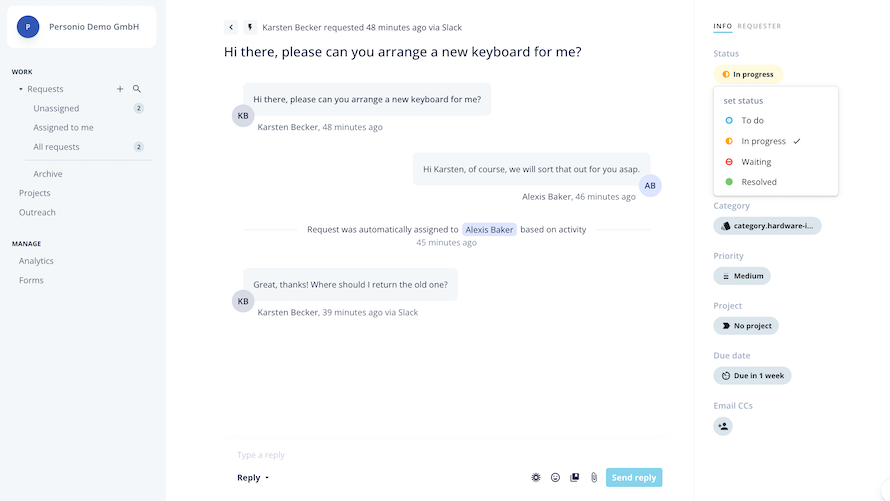
Refer to our article Manage employee requests in Personio Conversations for information on how to:
- Organize requests
- Manage notifications
- Use Conversations from within Personio
- Create custom request statuses
Learn how to respond to employee requests effectively and about the communication features that are available.
AI-Powered Answers
With the AI-Powered Answers feature, you can provide automated answers to routine employee requests. This can help you save time and increase employee satisfaction.
You can do the following:
- Build an internal knowledge base within Conversations.
▶︎ Create new articles within the Knowledge area.
▶︎ Import articles from your existing knowledge solution.
▶︎ Save answers as articles so that other experts can use them.
▶︎ Use existing articles in replies.
- Automatically resolve common requests via an AI-powered chatbot.
▶︎ Set up targeting so that the right articles are suggested to the right requesters.
▶︎ Use employee feedback to train the algorithm to provide better suggestions.
▶︎ Test article suggestions to improve content where necessary.
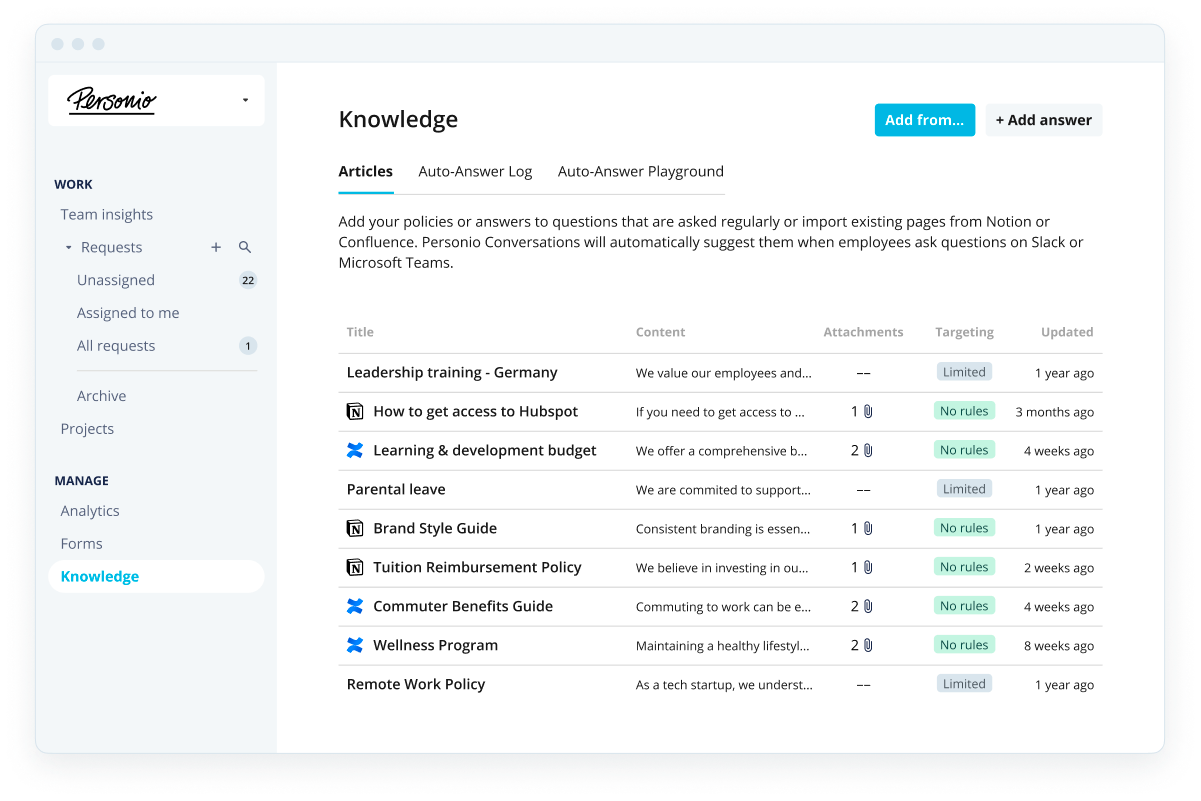
For more information, refer to our article The Knowledge area in Conversations.
Projects
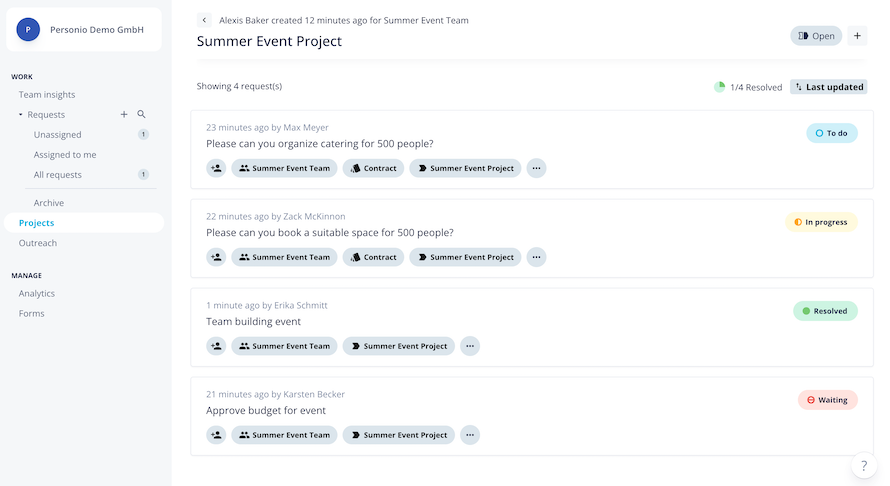
With the Projects feature, you can group related requests into projects. This is useful for tasks that involve many requests, for example, organizing a company-wide team event. By adding requests to a project, you will have an overview of everything that needs to be done and can keep track of progress.
A specific team needs to own each project. Members of this team can:
- Access the project in Conversations.
- Create new requests directly in the project.
- Assign existing requests to the project.
- See an overview of all the requests in the project, including who's working on them and their status.
Outreach
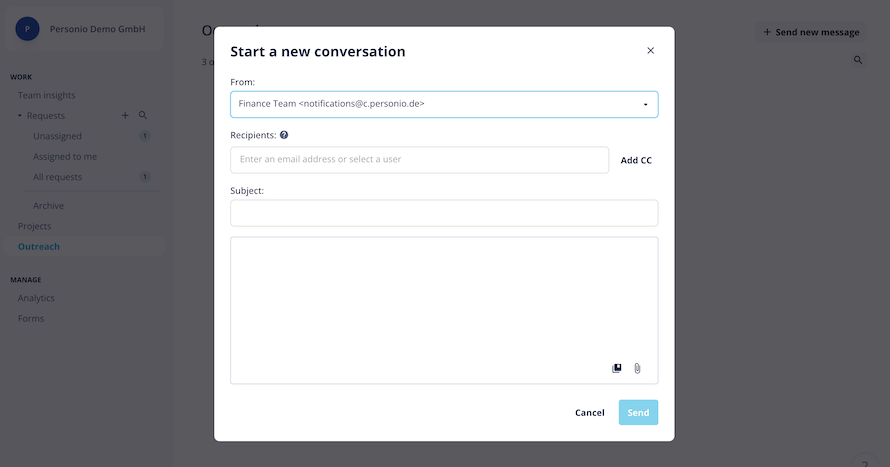
In the Outreach tab, you can initiate a new request with a specific person or group of people. Anyone can be a recipient, including internal and external users. It stores replies as requests.
The Outreach feature is useful if you need to start a conversation or raise a query with:
- An employee
- A group of employees
- External collaborators
External collaboration
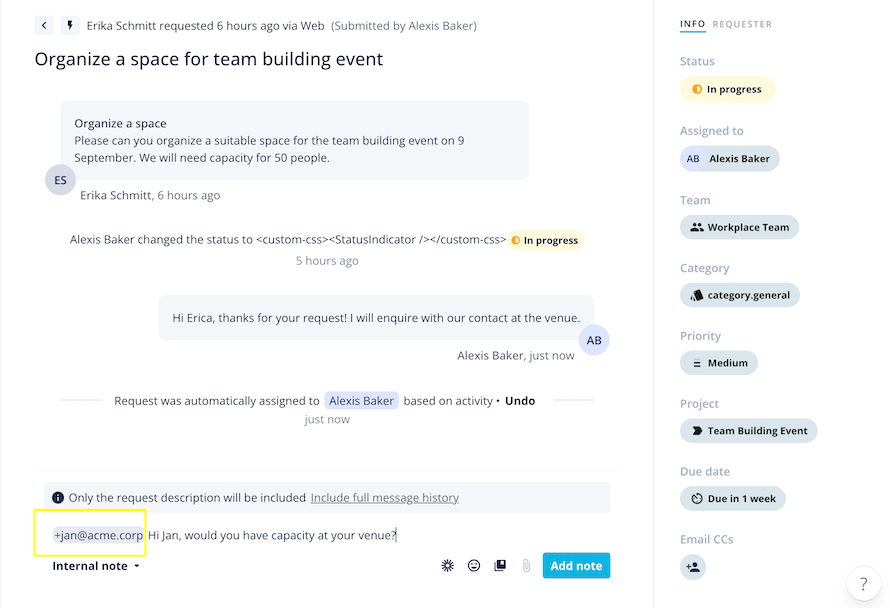
You can tag external collaborators in requests by clicking the plus icon followed by their email address. They are notified via email. Conversations adds their response as an internal note (not visible to the requester).
By default, the external collaborator only receives the title and the description of the request and your message. You can choose whether to forward the full context of the request, including all past replies. The external collaborator can't:
- Access the request directly.
- See the status of the request or metadata relating to the request.
- Access the remainder of the conversation.
Note:
When you tag an external collaborator in a request, we recommend using the internal note function. It's then not visible to the requester. If you tag an external collaborator in a regular reply, the requester can see that an external person is involved.
Team insights
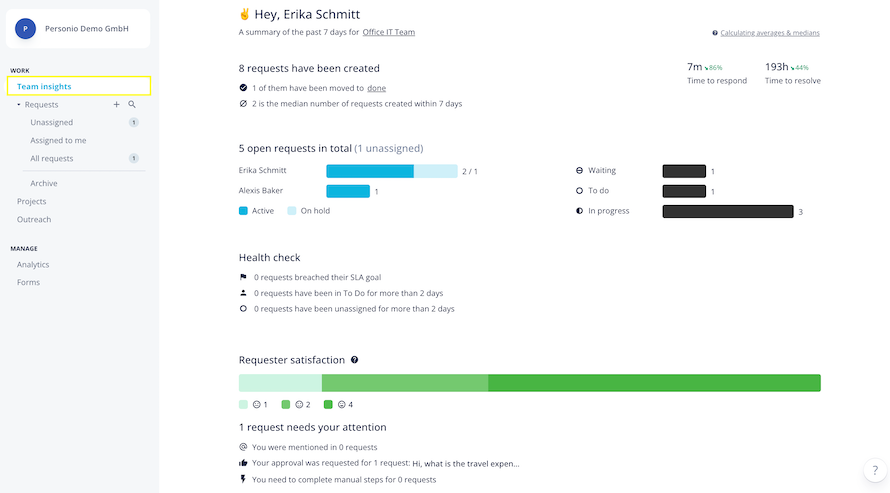
You can view team-specific insights in the Team insights tab. You can use this area to get an overview of your team’s workload and progress.
The Team insights view includes data about:
- New requests
- An overview of the current workload
- A health check of the team
- A requester satisfaction scale
- Requests that require attention
Analytics
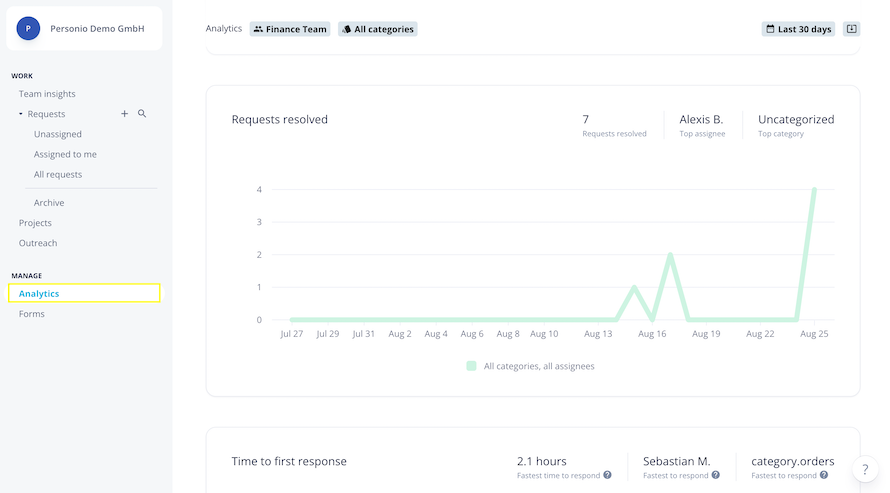
As well as Team insights, you can also access a wide range of analytics in Conversations. The Analytics tab provides you with an overview of your team’s work in Conversations. This can help you to keep track of requests and improve your reporting capabilities regarding key performance indicators (KPIs).
The Analytics page displays several charts, each representing one metric. These are:
- Requests created
- Requests resolved
- Time to first response
- Time to resolve
- SLA breach – response time
- SLA breach – resolution time
- Requester satisfaction
Note:
Requester satisfaction is currently only available when using Conversations in Slack. You can't collect data on requester satisfaction via email or Microsoft Teams.
More information
- Learn more about getting started with Conversations.
- Learn more about using Conversations.
- Learn more about knowledge management and AI-Powered Answers.