This article explains how to use our AI Fluency Survey feature. This feature includes a ready-to-use, confidential survey template and analysis tools. You can send this survey to your employees to see how ready they are to use AI well. The survey takes your employees about five minutes to complete. The results of the survey help you understand:
- What's helping or holding back AI adoption in your organization.
- What you need to act on. For example, you can introduce clearer guidelines, more targeted training, or better access to the right tools.
The AI Fluency Survey is the first step in Personio's broader support for your organization's AI transformation. More capabilities are on the way, including benchmarking against other organizations using the same standardized template.
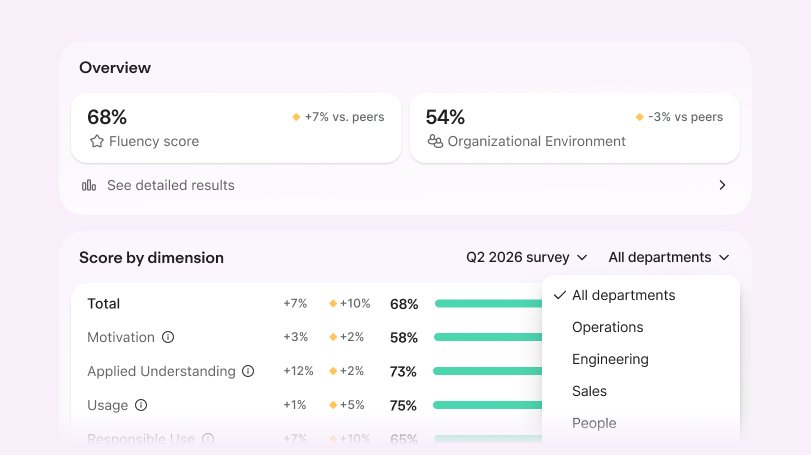
Understand what the survey measures
The AI Fluency Survey includes 21 predefined questions in total, three of which are optional. These questions include multiple choice, Likert scale, single-select scenario judgments, and free-text comments. To make sure results stay comparable across organizations and over time, you cannot edit most of the questions. This means there's little to configure before you send it.
The questions are grounded in the COM-B model, an established framework for understanding behavior change. It holds that people need capability, opportunity, and motivation to change a behavior, in this case, adopting AI well. This is what lets the survey reliably identify where your organization stands and what can help it move forward.
The survey measures two things:
- Your employees’ AI fluency and their willingness to use it.
- How well your organization sets them up to succeed.
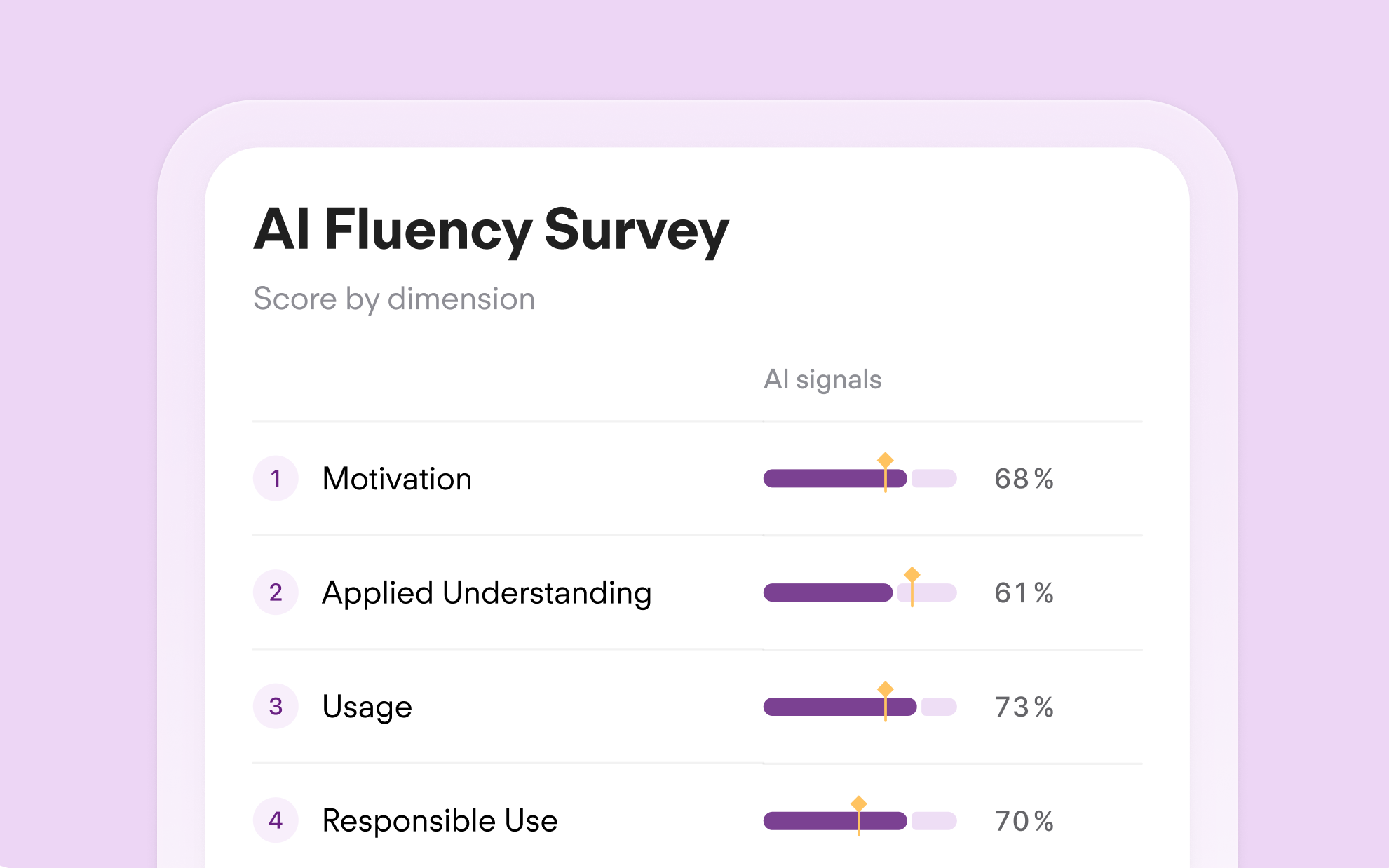
Your employees' AI fluency
This covers the following areas:
- Usage: How much AI your employees use and what they use it for.
- Motivation: Whether your employees see value in AI and want to use it or feel hesitant about it.
- Applied understanding: Whether your employees know how to use AI well. This includes what it's useful for, when to double-check its output, and where it falls short.
- Responsible use: Whether your employees use AI safely and with approval, and whether they handle sensitive information carefully.
Your organizational environment
This covers whether your organization's culture, tool access, and usage guidelines support your employees to use AI well. Personio reports this score separately. It never combines it with the four areas above.
Understand sensitive questions
A few questions ask about sensitive topics. For example, one question asks how often a team uses AI tools your organization hasn't approved. Another asks how often teams put sensitive company information into those tools.
These questions ask what's common on a team, not what any individual person does. This means your employees can answer honestly without exposing their own behavior. A low score on these questions points to something your organization can improve. For example, it might point to clearer guidelines or better access to approved tools. It doesn't identify individual employees who need correcting.
Use this context to set expectations with your employees before you send the survey. This helps if your employees worry about how you plan to use their answers. Read on to learn how confidentiality works with the survey.
Understand how confidentiality works
The AI Fluency Survey protects the confidentiality of your employees in the following ways:
- Aggregated and confidential: The survey template’s privacy settings are set to Confidential by default. Additionally, the minimum number of responses per question is three. This means that you can only see results for questions with three or more responses, depending on your survey setup. You can’t see individual respondents’ names, nor can managers or HR. Learn more about confidentiality protection in Personio surveys.
- Not a performance test: The survey measures the environment and experience around AI, not individual performance. A low score points to something your organization can fix, not a person to flag.
- Honest by construction: This is what makes it possible to ask about sensitive topics.
Configure and send the survey
Before you start
Before you send the survey, make sure you understand what it covers and how confidentiality works (see the sections above). Once you send it, you cannot recall it.
Subscription requirements
The AI Fluency Survey template is available to all Core customers, even if you haven't subscribed to Personio Surveys. If your organization doesn't have a Surveys subscription, this is the only survey template you have access to.
You can launch as many AI Fluency Surveys as you need, in parallel or one after another. For example, you can run separate surveys for different legal entities at the same time.
Permissions
- To set up and launch the AI Fluency Survey, you need Edit permissions for Configurations > Surveys.
- You can also give other employees limited admin access to the survey and its results. Learn more about survey permissions.
Send the survey
Send the AI Fluency Survey when you want a current read on your organization's AI readiness. For example, send it before planning training or ahead of a wider AI rollout. Since the survey template is ready to use and Personio predefines the questions, there's little to configure.
Follow these steps:
- On your Personio homepage, you’ll see a card about the new AI Fluency feature.
- In the card, click Launch survey.
- The AI Fluency Survey template opens. Personio predefines all the survey questions, and you cannot edit them. You can only customize the following:
- You can edit the placeholder text in the Introduction section.
- For the question, "Which AI tools have you used for work in the past 30 days?” you can add or remove options.
- For all questions, you can choose whether to allow comments.
- Some questions are required by default, but you can make them optional. Others stay required, and you cannot change this.
- You can only delete a few of the 21 questions. The survey includes these for context only, so removing them doesn't affect your results.
- When ready, preview your survey and select the participants. We recommend selecting a large group. You can filter by department, team, or office when you view your results.
- Move on to the configuration settings. Learn about how confidentiality works with the AI Fluency Survey.
- Launch the survey.
View and interpret your results
Once enough employees have completed the survey, you receive a notification in your Inbox. The notification also appears in the Inbox highlights card on your Personio homepage. Click the notification to go to your results. This brings you to your results dashboard.
The results dashboard gives you the following:
- Insight into where your employees already use AI well and where they need more support.
- The ability to compare and drill down by group or by measured area.
Coming soon:
- Benchmarks against other organizations that use the same standardized survey template. Personio only shows fully confidential and aggregated data. You never see another organization's individual results.
- Actionable findings. For example, whether you need clearer role expectations, more training, or better access to AI tools.
- Trends over time if you repeat the survey.
To view responses to individual questions, go to Surveys, select the survey, and click Results.