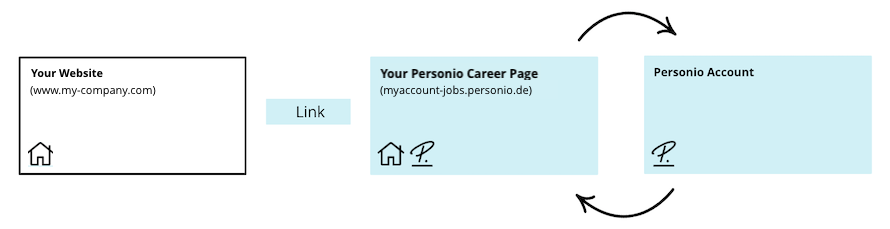
This article explains how to connect your Personio career page with your company's website via a link. With this connection:
- Candidates can click a link on your company website to go directly to your Personio career page. You might choose to add this link to your "careers" or "job vacancies" section.
- Candidates can view your published jobs and submit applications.
- All candidate application data goes to Personio. This creates a candidate profile, which is assigned to the corresponding job.
Before you start
- Review the other options to connect your career page to Personio to make sure this is the right option for you. This is the simplest of the available options.
- Make sure you have support from your website administrator or IT department. They are responsible for setting up the connection.
- You might need access to the career page settings during this process. If so, you need permissions to the Recruiting app and its settings.
Set up the connection
Ask your website administrator or IT department to create a link or button on your website or corporate career page. They can then insert the address of your Personio career page, which should look like this: myaccount.jobs.personio.com. To find your Personio career page address, go to Settings > Recruiting > Career page.
The diagram below illustrates how the connection works.